Theta Data for Excel (v3)
Theta Data offers an add-in for Excel so you can access Theta Data's data right in Microsoft Excel! The functions documented on this page are prefixed V3_ and talk to Terminal v3 only. The add-in also ships the rest of the (unprefixed) functions, which talk to Terminal v2. See the main Excel add-in docs for those.
REQUIRED
You must be running the latest version of the Theta Data Terminal to use the Excel add-in. You also need a Standard or Pro subscription to use the add-in.
Installation
You can access the Theta Data Excel add-in via the "Add-ins" dropdown in the Home ribbon in Excel. Simply search for Theta Data.
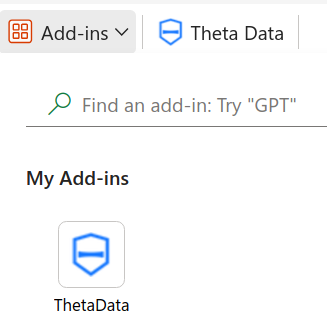
Once the add-in is installed, you can use all of Theta Data's Excel functions to access Theta Data data! Every function is listed in the Excel Add-in section of the sidebar, grouped by data type. Click any function name for its parameters and an example formula.
TIP
String parameters (e.g. "AAPL", "2024-02-20") must be wrapped in double quotes, the same as in any other Excel formula. Leaving the quotes off a word usually gives a #NAME? error; leaving them off a date like 2024-02-20 is worse, since Excel silently reads it as subtraction (2024 - 2 - 20) instead of erroring at all.
Visit the examples page for a few illustrative formulas across data types.
Restrictions
REQUIRED
You must be running the latest version of the Theta Data Terminal to use the Excel add-in. You also need a Standard or Pro subscription to use the add-in.
MACOS
The add-in is not currently supported on MacOS. There is a work around for MacOS users to use Google Chrome to access Microsoft Excel in the cloud.
While the Excel add-in strives to provide access to all data accessible to Theta Data customers, there are naturally some limitations. You cannot access beyond 1M rows in an Excel document, and as such, the add-in stops a request early and returns an error rather than let a very large request hang while it downloads. Finally, real-time streaming cannot be used with the Excel add-in, but real-time snapshot data is available.